
Behind the Metro MOGO login sits Metro Credit Union's home-banking system, served from hb.metro.coop in Springfield, Missouri. The phone app is a thin client over that web tier — the same Login ID and password a member uses on the desktop site authenticate the app, which is the detail that decides how an integration is built. The credit union is small and local: founded in 1935 and stewarding roughly $108.9 million in assets across about 9,500 members per CreditUnionsOnline's directory entry, NCUA-insured with NMLS #665108 as listed on its own MOGO page. That scale matters for the regulatory route, not for what the session exposes.
The bottom line: there is real per-member structured data here, and the cleanest way to it is the authenticated home-banking session the member already holds, integrated under that member's consent. The route below is the one we would actually run for this app, not a menu of theoretical options.
What sits behind a MOGO login
These are the surfaces a member sees in the app and on hb.metro.coop, mapped to where the data originates and what an integrator does with it. The rows reflect Metro MOGO's own modules, not a generic banking checklist.
| Data domain | Where it originates in the app | Granularity | What an integrator does with it |
|---|---|---|---|
| Share / loan / checking balances | Accounts screen after login | Per sub-account, current value | Live balance display, reconciliation, liquidity views |
| Posted transaction history | Account detail / history view | Dated postings with memo and running balance | Bookkeeping sync, categorization, audit trails |
| Internal & external transfers | Transfers / move-money module | One-off and scheduled, with status | Payment-status monitoring, cash-movement automation |
| Bill Pay payees & payments | Bill Pay module | Payee list, scheduled and historical payments | Accounts-payable reconciliation, payment tracking |
| eStatements | eStatement section (refreshed experience) | Monthly PDF documents | Archival, statement parsing, lending document pulls |
| Alerts | Alert setup with push option | Member-configured triggers | Event mirroring into a third-party system |
| Current rates | Get-current-rates view | Product rate board, public | Low-value but trivial to mirror for context |
Reaching it: the consented-session route
For an app this size the realistic paths are not equal, and the recommendation is the first.
Member-consented home-banking session integration
This is the recommendation. The MOGO app and the desktop site share one authenticated session at hb.metro.coop; we map the real login form, the device-token step the app uses on an enrolled device, and the session/token chain, then drive the account, transaction, transfer, Bill Pay and statement surfaces under the member's consent. Effort is moderate and front-loaded into the mapping. Durability is good for the stable surfaces (balances, transactions, statements) because they change rarely; the studio sets up the working session with the client during onboarding against a consenting member account, so the build runs against real responses rather than assumptions.
Native eStatement export as a fallback
For the statement domain only, the eStatement module already yields monthly PDFs. Where a member just needs historical statements parsed, that document path is lower-effort and very stable, and it pairs well as a secondary feed under the session route. It does not cover balances or live transactions, so it is a complement, not a substitute.
We would run the session route as the backbone and fold the eStatement export in for document history. That combination keeps the high-value live data and the long statement archive on different, independently durable footings.
A worked example: statements and transfers
Illustrative shape only. The exact login fields, the device-token and session chain, and the JSON layout are confirmed during the build against a consenting member account — not asserted here.
# Illustrative. Field names and the token/cookie chain are
# confirmed during the build against a consenting member account.

import requests
s = requests.Session()

# 1. Home-banking login (the MOGO web tier at hb.metro.coop;
#    same Login ID / password the member uses in the app)
r = s.post("https://hb.metro.coop/auth/login", data={
    "loginId":     MEMBER_LOGIN_ID,
    "password":    MEMBER_PASSWORD,
    "deviceToken": ENROLLED_DEVICE_TOKEN,   # set at app/device enrollment
})
r.raise_for_status()
token = r.json()["sessionToken"]
H = {"Authorization": f"Bearer {token}"}

# 2. Account list -> share / loan / checking sub-accounts + balances
accts = s.get("https://hb.metro.coop/api/accounts", headers=H).json()

# 3. Posted transactions, normalized for the caller
for a in accts["accounts"]:
    txns = s.get(f"https://hb.metro.coop/api/accounts/{a['id']}/transactions",
                 params={"from": "2026-01-01", "to": "2026-05-17"},
                 headers=H).json()
    for t in txns["items"]:
        emit({
            "account":        a["number"][-4:],
            "postedDate":     t["postedDate"],
            "amount":         t["amount"],
            "type":           t["debitCredit"],
            "description":    t["memo"],
            "runningBalance": t.get("balance"),
        })

# Error handling that ships with the code:
#   401 -> session expired, re-authenticate once
#   423 -> account locked after failed logins, surface to caller
#          (never retried blindly)
What lands in your repo
Everything is tied to Metro MOGO's actual surfaces, not a template:
- An OpenAPI/Swagger description of the hb.metro.coop surfaces in scope — accounts, transactions, transfers, Bill Pay, statements — with the normalized field names the worked example sketches.
- A protocol and auth-flow report: the Login ID / password post, the enrolled-device token step, the session-token chain, and how expiry and account-lock states behave.
- Runnable source (Python or Node.js) for the key endpoints — login and re-auth, account and balance pull, transaction history, transfer status, eStatement PDF retrieval.
- Automated tests against recorded responses so a future hb.metro.coop change is caught before it reaches your system.
- Interface documentation and data-retention guidance covering consent records and what is logged.
Member consent and who oversees Metro
Metro Credit Union is a state-chartered, NCUA-insured institution; member funds and conduct sit under NCUA share-insurance and the credit union's own member agreements. The relevant US data-rights instrument is the CFPB's Personal Financial Data Rights rule under Dodd-Frank section 1033. That rule is in active reconsideration, and whether and how it ultimately binds an institution the size of Metro Credit Union is one of the unsettled questions — so we do not design around a mandated data feed that may or may not exist for a credit union this small. The route we use is the member's own consent to access the session they already operate. Consent scope is recorded, it is revocable by the member, access is logged and data-minimized to the domains you actually need, and an NDA covers the engagement where required. That posture does not change with the rule's final shape.
What we account for on this build
Three things specific to Metro MOGO shape the work, and we handle each:
- The platform refresh. Metro's MOGO page documents a relaunched platform — login at hb.metro.coop, a new eStatement experience, alerts members had to re-create, Bill Pay changes. We pin the integration to the post-refresh endpoints and wire a change-detection check into maintenance so the next front-end revision surfaces as a flagged failure, not silent drift.
- A known-flaky capture surface. Public reviews report the in-app deposit/snapshot feature working only part of the time. We keep image-capture surfaces off the critical path, treat them as best-effort with bounded retry, and carry the integration on the stable balance, transaction and statement surfaces.
- Name collisions. Several unrelated institutions trade as "Metro" — credit unions in Omaha and Massachusetts among them. We scope strictly to
com.metrocreditunion.metrocreditunionand hb.metro.coop so a different institution's portal is never cross-wired into the build.
Freshness and the moving parts
Balances and posted transactions are as fresh as the home-banking tier itself — effectively live on each authenticated pull. eStatements update monthly, on the credit union's statement cycle. The surfaces most likely to shift are the ones touched by the platform refresh, which is exactly why the deliverable includes recorded-response tests and a change check rather than a one-time scrape. Freshness here is a property we engineer for, not a number we assert.
Cost, and how the work runs
A scoped extractor for the MOGO home-banking session — login, balances, transactions, transfers, with eStatement retrieval folded in — starts at $300 for source-code delivery, and you pay it after we hand the code over and you have confirmed it works against a consenting account. If you would rather not run infrastructure, the same surfaces are available as a pay-per-call hosted API with no upfront fee — you call our endpoints and pay only for calls. Typical delivery is one to two weeks. You bring the app name and the data you need from it; access, the consenting account or sandbox, and any compliance paperwork are arranged with you as part of onboarding. Start the conversation at /contact.html.
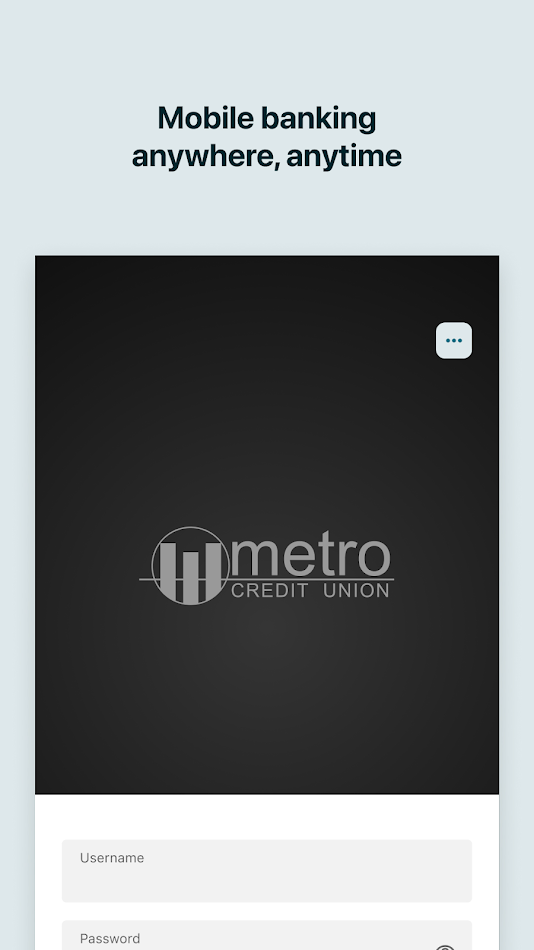
What the app screens show
Store screenshots, used here to read the module structure behind the integration. Select to enlarge.


Other credit-union apps in the same bucket
Same category, named for keyword reach and because a unified integration usually has to span more than one small institution. Ecosystem context only, no ranking.
- Connexus CU Mobile App — a larger national credit union's app holding balances, transactions, deposits and bill pay behind one login; a frequent second source when a customer banks across institutions.
- GreenState CU Mobile — Iowa-rooted credit union app with check deposit, spending tracking, credit-score and transfers; comparable account-data surfaces to MOGO.
- Members 1st Federal Credit Union app — Pennsylvania credit union app with goal tracking and fund management on top of standard account data.
- Metrum Community Credit Union app — Colorado community credit union with the same online-and-mobile account, transfer and bill-pay surface set.
- Metro Credit Union (Omaha, NE) app — a different "Metro" credit union; relevant mainly as a name collision to scope against, with its own member account data.
- Metro Federal Credit Union app — yet another unrelated "Metro" institution offering its own mobile account access.
- Vibrant Credit Union app — Illinois-based credit union with a comparable mobile banking feature set.
- Metro Credit Union iBanking (Massachusetts) — the Massachusetts Metro CU's online banking; another distinct institution sharing the brand word.
Questions integrators ask about Metro MOGO
Does the MOGO platform refresh Metro describes change how you'd integrate?
Yes, and we plan around it. Metro's MOGO page documents a relaunched platform with the login living at hb.metro.coop, a new eStatement experience, alerts that members had to set up again, and Bill Pay changes. We pin the integration to the post-refresh session and endpoints, and add a change-detection check so a future front-end revision shows up in maintenance instead of failing silently.
Is a credit union this small actually covered by the CFPB open-banking rule?
That is itself unsettled. The CFPB's Personal Financial Data Rights rule under Dodd-Frank section 1033 is in reconsideration, and how it lands for an institution the size of Metro Credit Union is one of the open questions. We do not build on the assumption of a mandated data feed; the route here is member-consented access to the home-banking session the member already uses, which does not depend on the rule's final shape.
Can one build cover eStatement PDFs and Bill Pay history as well as balances?
Yes. Balances and posted transactions come off the account surface; eStatements are a separate document surface returned as monthly PDFs; Bill Pay payees and scheduled payments are a third. They are distinct endpoints behind the same authenticated session, so we scope each one explicitly and you choose which are in the deliverable rather than getting an all-or-nothing scrape.
We're a fintech onboarding a Metro member — what does access look like in practice?
You tell us the member-facing data you need; the working session is arranged with you during onboarding, against a consenting member account, with consent and access logged. We map the real Login ID, device-token and session chain at hb.metro.coop during the build rather than guessing it, so the handed-over code matches the live behaviour.
Sources, and what was checked
Checked in May 2026: Metro Credit Union's own MOGO page for the platform refresh, login location and NCUA/NMLS status; the Google Play listing for the package identifier and described features; a credit-union directory entry for charter, asset and membership figures; and the Federal Register for the current status of the section 1033 rule. Figures cited are attributed to those sources, not asserted independently.
metro.coop/mogo · Google Play listing · CreditUnionsOnline directory entry · Federal Register: section 1033 reconsideration
Put together by the OpenBanking Studio integration desk; last checked 17 May 2026.
App profile — Metro MOGO (factual recap)
Metro MOGO is the mobile banking app of Metro Credit Union, Springfield, Missouri. Package com.metrocreditunion.metrocreditunion on Android (per its Play Store listing) and App Store id 1071266606 on iOS per its App Store listing, available for both platforms. It gives enrolled home-banking members account access, bill pay, transfers, current rates, eStatements, alerts and chat support, using the member's existing Login ID and password; self-enrollment is offered, and member support is on 417-869-9654 during business hours. The credit union is NCUA-insured (NMLS #665108 per its MOGO page), founded in 1935 and serving roughly 9,500 members with about $108.9 million in assets per CreditUnionsOnline's directory entry.