
Every balance, transfer and statement in Metro MOGO sits behind one credential — the same Metro home-banking Login ID and password a member types on metro.coop. The app's own description says it is free for Metro Credit Union members enrolled in home banking, that you sign in with that Username and Password, and that you can self-enroll if you do not have one. So the integration question is narrow and answerable: get an authorized member session, then read what that session can see. That is the whole route.
Metro is small. Third-party credit-union directory listings put it at roughly $108.9 million in assets and about 9,500 members across two Springfield branches, founded in 1935 — figures we treat as approximate and source-attributed, not exact. Size matters here because it decides the route: a credit union this small is not a federally mandated data provider, so there is no shortcut around member consent, and none is needed. We build the member-authorized path, document it, and hand it over.
What Metro MOGO holds for each member
The credit union's product set, per its own site and directory listings, runs from share and checking accounts through money market, Christmas club, IRAs and certificates to auto, signature and HELOC lending and a credit card. Inside the home-banking session the app uses, those map to the following surfaces.
| Data domain | Where it comes from in the app | Granularity | What an integrator does with it |
|---|---|---|---|
| Share & deposit balances | Account dashboard after sign-in (savings, checking, money market, Christmas club) | Per-account current and available balance, share suffix | Balance display, reconciliation, low-balance triggers |
| Transaction history & statements | Account detail and statements view | Per-posting date, amount, description, running balance; statement periods | Ledger sync, categorization, bookkeeping import |
| Transfers | Move-money screen | Internal and member-to-member transfers, scheduled and historical | Payment-status sync, treasury reconciliation |
| Bill pay | Bill pay section | Payees, scheduled and past payments, amounts and dates | Payables tracking, cash-flow forecasting |
| Loan & credit accounts | Account list (auto, signature, HELOC, credit card, certificates) | Balance, payoff, due date, rate per account | Debt dashboards, payoff automation, maturity alerts |
| Current rates | Rates view inside the app | Dividend and loan rate table | Rate monitoring and comparison feeds — no member sign-in needed |
| Profile & alerts | Settings and profile | Contact details, alert preferences, enrolment state | Identity matching, notification routing |
Getting at the data: the routes that fit a credit union this size
1 · Member-consented interface integration (recommended)
A consenting member authorizes us; we analyze the traffic Metro MOGO exchanges with its home-banking back end, then re-implement the calls — sign-in, account list, transaction range queries — as a clean client. Reachable: everything the member sees in the app. Effort: moderate, mostly in the auth and session handling. Durability: good, with a re-validation pass when the front end changes. Onboarding access is arranged with you, against a consenting member or a test member the credit union provides.
2 · Aggregator-style credential connectivity
If the goal is to plug Metro into an existing aggregation stack, the same member-permissioned session can feed a normalized layer in the shape Plaid, MX, Finicity or an FDX-style schema expects. Useful when Metro is one of many small institutions you need under one schema; weaker than route 1 if you need fields the aggregator does not pass through.
3 · Public rates feed
The in-app rate table is broadcast data, not per-member, so it can be pulled without an authenticated session. Narrow, but fast, and it keeps a rate-comparison feature off the consent path entirely.
For most buyers route 1 is the one to build first: it reaches the full member ledger, it is the only path to balances and statements, and routes 2 and 3 are layers on top of it rather than substitutes. We would scope the engagement around it and add the rates feed where a project needs it.
A login-and-pull sketch against the home-banking session
Shape only — the exact endpoints, token mechanics and field names are confirmed from the app's own traffic during the build, not guessed here.
POST /hb/auth/login
  { "loginId": "<member username>", "password": "<secret>",
    "deviceId": "<bound device>" }
-> 200 { "session": "<token/cookie>", "mfa": "otp_required" }

# one-time passcode step, if the login presents one
POST /hb/auth/mfa   { "session": "...", "code": "<otp>" }
-> 200 { "session": "<elevated token>", "expiresIn": 900 }

GET  /hb/accounts                 (Authorization: session)
-> [ { "id": "S0001", "type": "share",  "available": 0.00 },
     { "id": "L0007", "type": "heloc",  "balance": 0.00, "rate": 0.00 } ]

GET  /hb/accounts/S0001/transactions?from=2026-01-01&to=2026-05-17
-> [ { "postedAt": "...", "amount": 0.00, "desc": "...",
       "runningBalance": 0.00 } ]

# session is short-lived: re-auth on 401, respect idle timeout,
# never store the member secret beyond the consented session
The login is the choke point. Get session handling, the passcode step and the idle timeout right and the rest is ordinary paginated reads.
What lands in your repo
Concrete artifacts, all tied to the surfaces above:
- An OpenAPI/Swagger specification covering sign-in, account list, transaction queries, transfers and bill-pay reads as they exist for Metro MOGO.
- A protocol and auth-flow report: the login exchange, the passcode/device step, token or cookie lifetime, and how the session is refreshed and revoked.
- Runnable source for the key endpoints in Python and Node.js — authenticate, list accounts, page transactions, read loan and rate data.
- Automated tests against the documented responses, including the re-auth and expiry paths.
- Interface documentation plus data-retention and consent-handling guidance written for a credit-union member context.
Where this integration actually gets used
- A budgeting or PFM app that syncs a member's Metro share and loan balances nightly into one dashboard.
- A bookkeeping tool importing transaction history and statement periods for a member who runs a small business through the credit union.
- A debt-payoff service tracking HELOC and credit-card balances, payoff figures and due dates.
- A rate-comparison page reading Metro's published dividend and loan rates with no member sign-in.
Member consent and where Metro sits under US data-rights rules
Metro Credit Union is NCUA-insured and a Gramm-Leach-Bliley-covered institution, so member financial data carries a privacy and safeguarding duty regardless of how it is accessed. The CFPB Personal Financial Data Rights rule under Section 1033 attaches data-provider obligations only to institutions at or above roughly $850 million in assets, and that rule is under reconsideration; a credit union of around $108.9 million in assets, per third-party directory listings, falls under the small-entity exemption either way. We do not assert a specific compliance date for Metro because none binds an institution this size. What that leaves is the member's own right to permission access to their data, and that is the basis we work on: signed member consent or the credit union's written authorization, scoped to named data, with access logged, data minimized to what the project needs, and an NDA where the work touches anything sensitive.
What we plan around on this build
Two things shape the engineering here, both handled on our side:
- One credential gates everything. Metro MOGO reuses the web home-banking Login ID and password and, per the app's own description, the same security technologies as online banking. We design the session and token handling around that single credential — including any one-time passcode or bound-device step the login presents — and around the idle timeout, so a sync re-authenticates cleanly instead of dropping silently.
- The digital-banking platform is a vendor product. A credit union this size runs home banking on a third-party core or digital-banking platform; which one is not publicly disclosed and is not asserted here. We identify it from the app's own traffic during onboarding, key the parser to that platform's response shapes, and schedule a re-validation pass for when the platform updates its front end so the integration does not quietly break.
- Rates and member data are separated. The published rate table needs no member session; per-member ledgers do. We split the two so a rates feature is never blocked behind authentication it does not require.
Access for the build — a consenting member or a test member account — is set up with you during onboarding, not a hurdle you clear before we start.
Working with us on Metro MOGO
A Metro MOGO build is small enough to land in roughly one to two weeks. You can take it as source: runnable code plus the OpenAPI spec, tests and the protocol write-up, from $300, invoiced only after delivery once you have run it and are satisfied. Or skip hosting and call our maintained Metro MOGO endpoints instead, paying per call with nothing up front. Either way you give us two things — the app name and what you want out of its data — and access and compliance are arranged with you. Start on the contact page with what you need from Metro MOGO and we will scope it back.
Screens we worked from
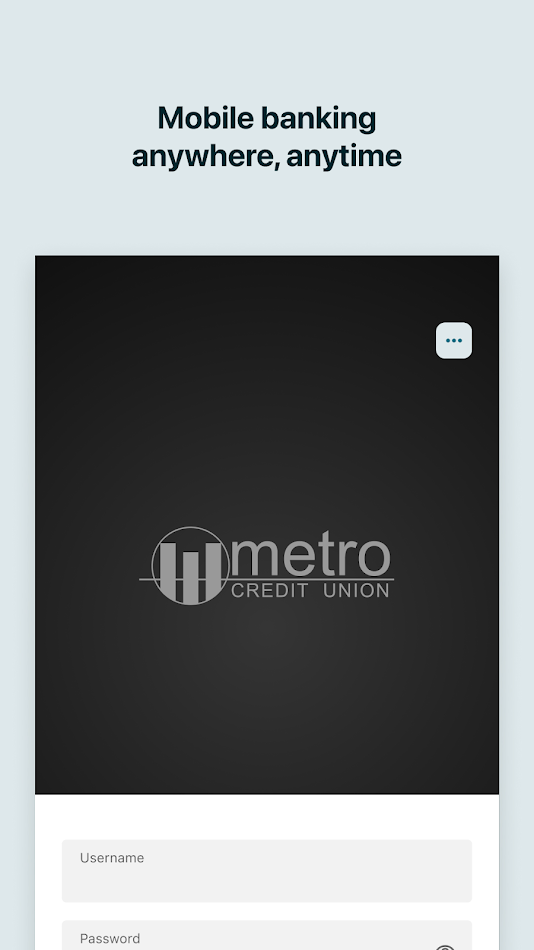
Store screenshots of Metro MOGO, used to sanity-check the surfaces above. Select to enlarge.


How this brief was put together
Checked in May 2026 against the app's own store description, Metro Credit Union's site, third-party credit-union directory listings for the asset and membership figures, and the CFPB's published material on personal financial data rights. Figures attributed to directory listings are treated as approximate. Primary sources opened:
- metro.coop/app — Metro Credit Union app page
- Metro MOGO on Google Play
- CFPB — Personal Financial Data Rights (Section 1033)
- America's Credit Unions — §1033 final rule analysis
Integration desk notes, OpenBanking Studio — reviewed 2026-05-17.
Other credit-union and neobank apps in the same integration space
Same-category apps an integrator often handles alongside Metro MOGO, named for ecosystem context only:
- Alliant Credit Union — large US credit-union app with balances, transfers and a pre-login balance preview.
- Alternatives Federal Credit Union — community credit-union app with mobile deposit, bill pay and P2P payments.
- Metro Credit Union — Omaha — a separate Nebraska credit union's home-banking app, same data shape, different institution.
- Metro Credit Union Mobile — the Massachusetts Metro Credit Union app, also member-permissioned account data.
- Quontic Bank — digital bank app with balances, check deposit, bill pay and biometric sign-in.
- Varo — neobank combining checking, savings and credit-building data in one account.
- Chime — fee-light banking app with transfers and spending data behind a single login.
- Discover Mobile — bank and card app with deposits, bill pay, Zelle and card controls.
Questions integrators ask about Metro MOGO
Metro MOGO uses my Metro home-banking Login ID and password — can the integration run on that same credential?
Yes. The app authenticates with the same Metro home-banking Login ID and password used on metro.coop, so the build runs through a consenting member's session. We map any one-time-passcode or device-binding step the login presents and design the session and re-auth handling around the home-banking idle timeout so a sync does not silently expire mid-pull.
Metro Credit Union is a small institution — does the federal data-rights rule give us a mandated feed to use?
Not for an institution this size. The CFPB Personal Financial Data Rights rule (Section 1033) attaches data-provider duties only to providers at or above roughly $850 million in assets and is under reconsideration; a Springfield credit union of around $108.9 million in assets, per third-party directory listings, sits under the small-entity exemption. The realistic path is member-authorized access, which is exactly what we build.
Does the app expose loan, HELOC and credit-card balances too, or only checking and savings?
Both. Metro Credit Union offers checking, savings, money market and Christmas club share accounts plus auto, signature, HELOC and certificate products and a credit card, per its own site and directory listings, and the home-banking session that Metro MOGO uses surfaces those loan and credit balances, payoff figures and due dates alongside deposit balances.
We only have member logins, not a developer account — is that enough for you to build against?
Yes. Give us the app name and what you want out of its data; access and compliance are arranged with you. The build runs against a consenting member account or a test member the credit union provides, set up during onboarding, with signed consent or the credit union's written authorization on file.
App profile — neutral recap
Metro MOGO is the mobile home-banking app for Metro Credit Union, a member-owned, NCUA-insured credit union headquartered in Springfield, Missouri (metro.coop), reachable per the app's description at 417-869-9654. Package ID com.metrocreditunion.metrocreditunion; published for Android and iOS per the store listings. It is free for members enrolled in Metro's home-banking service, who sign in with their existing home-banking Username and Password or self-enroll. In-app functions, per the app and the credit union's site, include account access, transfers, bill pay, current rates and contacting the credit union, using the same security technologies as the credit union's online banking. OpenBanking Studio is independent of Metro Credit Union; this page scopes an authorized integration only.